top of page


QR Code
Find a simple guide on how to set-up the QR Code
As the Paylah QR Code is restricted to DBS clients only,
it would be better to share a PayNow QR code instead.
How to activate the PayNow QR Code on your banking app -
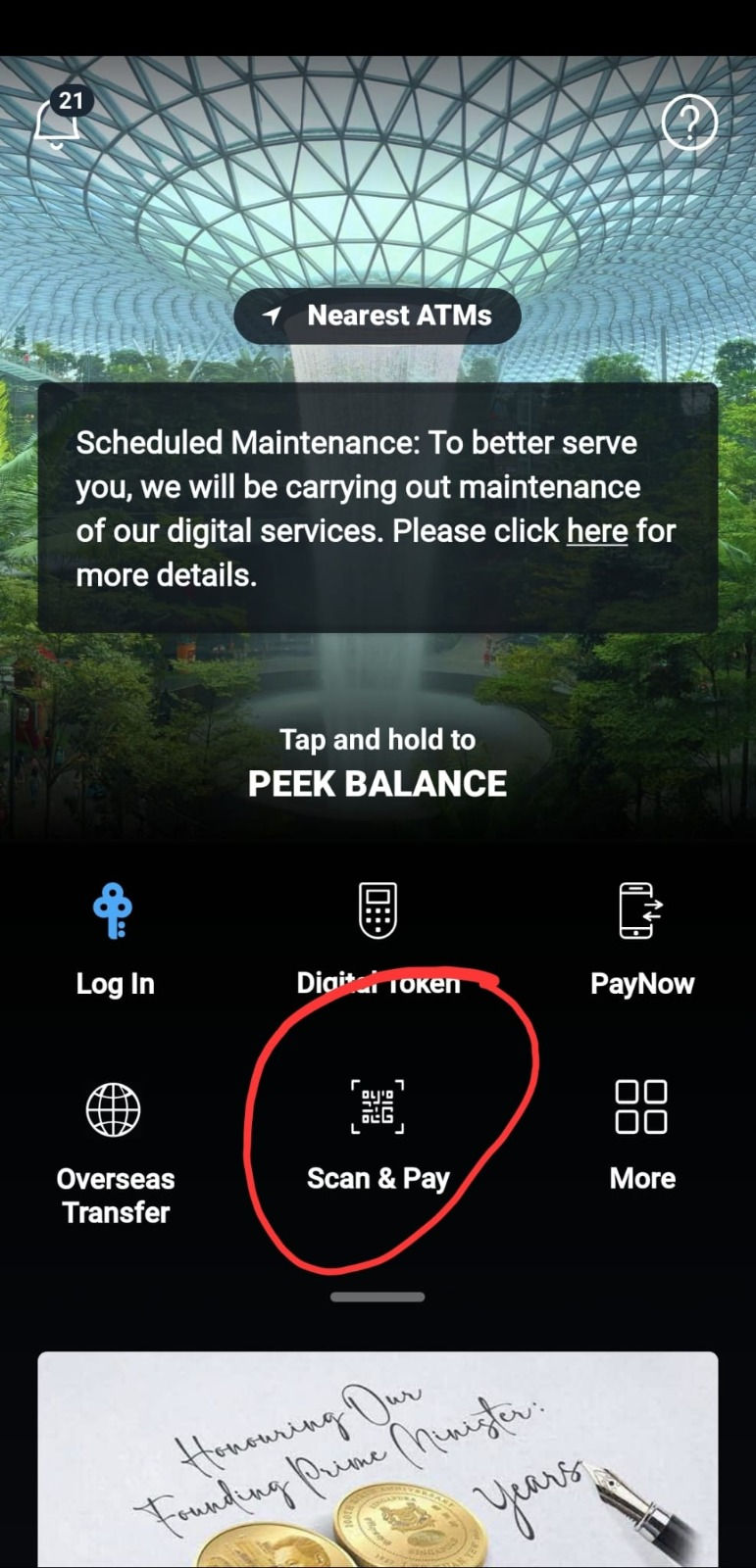
1. On your mobile banking app, you can select Scan to Pay
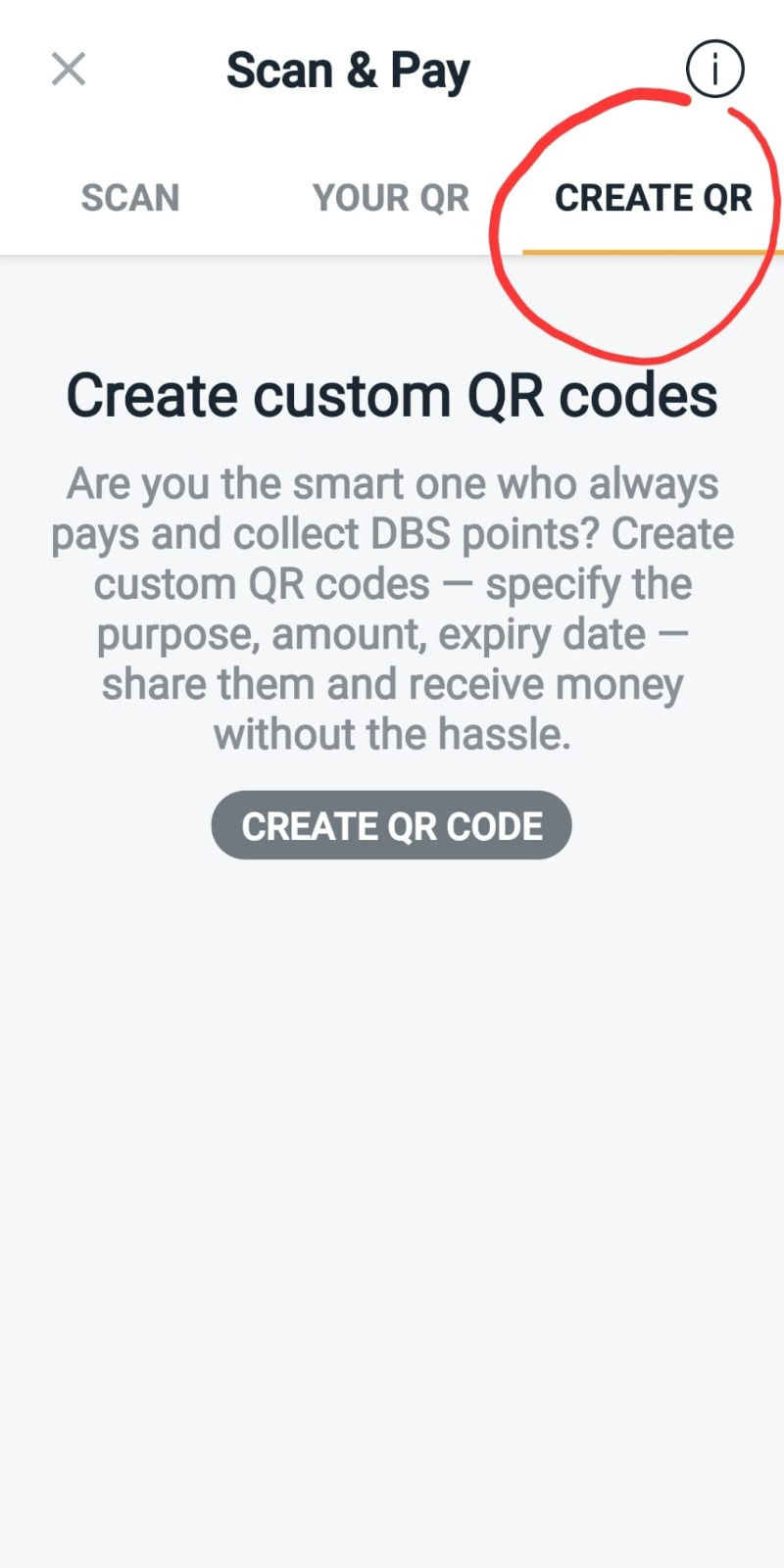
2. There should be an option to create your QR code to receive payment (POSB is top right corner of "Create QR", you may have to log in with your PIN, for them to activate the QR Code)
3. You can then screenshot and share that QR code here.
4. You can also set it such that the QR Code auto-generates a specific remark ie: "Condolence Gift"
bottom of page